Grain Cart Scale
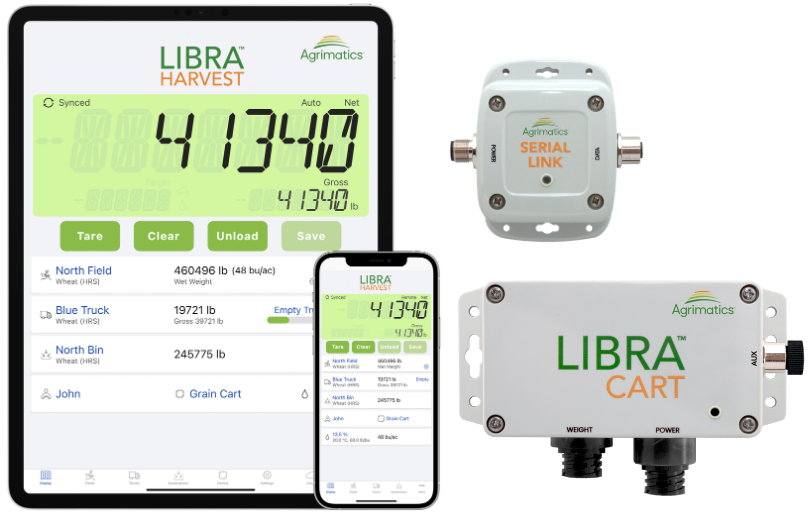
The Libra Cart hardware connects to your grain cart’s load cells and uses Bluetooth®
to wirelessly send data to the Libra Harvest app on your smartphone or tablet;
eliminating the need for a
traditional grain cart scale indicator in the cab.
It automatically detects and records every unload; no PTO or additional sensors required.
You get accurate, real-time harvest data without pressing any buttons, printing tickets, or writing anything down.
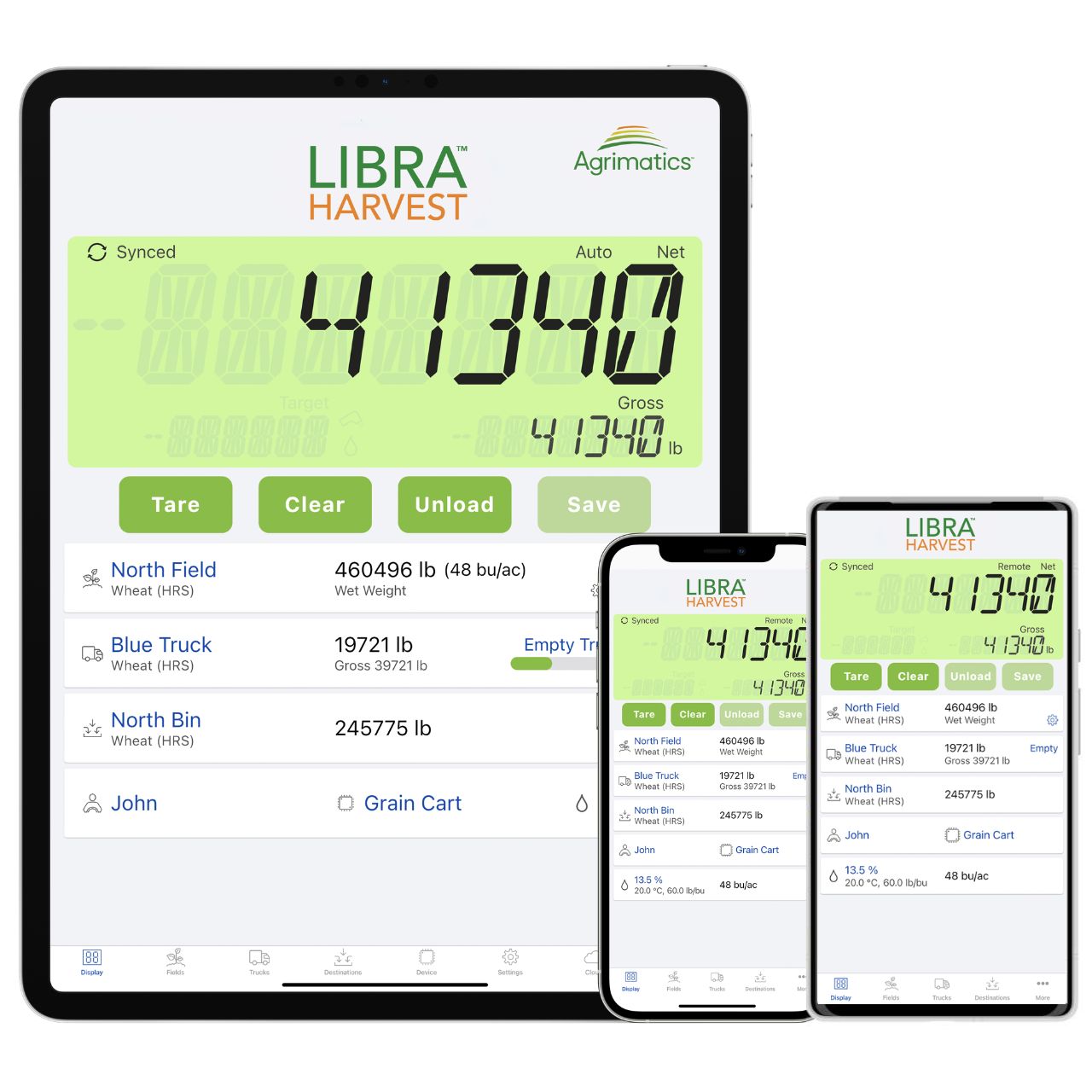
Scale displays allow you to track real-time cart weights, so you know exactly what's been harvested and how much is left on the cart so you can keep equipment moving. Avoid over- or underfilling trucks to keep loads legal and efficient. Precise records help ensure inventory levels and load history can be used for effective planning, marketing, bookkeeping, or reporting.
When existing cart scales are combined with scale management systems, like Libra Cart, it can be a key factor in bringing your harvest operation to the next level. If your equipment needs scales in addition to the Libra Cart hardware, let us know and we'll help point you in the right direction.
The Libra Cart hardware connects to your grain cart’s load cells and uses Bluetooth® to wirelessly send data to the Libra Harvest app on your smartphone or tablet; eliminating the need for a traditional grain cart scale indicator in the cab. It automatically detects and records every unload; no PTO or additional sensors required. You get accurate, real-time harvest data without pressing any buttons, printing tickets, or writing anything down.
Scale displays allow you to track real-time cart weights, so you know exactly what's been harvested and how much is left on the cart so you can keep equipment moving. Avoid over- or underfilling trucks to keep loads legal and efficient. Precise records help ensure inventory levels and load history can be used for effective planning, marketing, bookkeeping, or reporting.
When existing cart scales are combined with scale management systems, like Libra Cart, it can be a key factor in bringing your harvest operation to the next level. If your equipment needs scales in addition to the Libra Cart hardware, let us know and we'll help point you in the right direction.
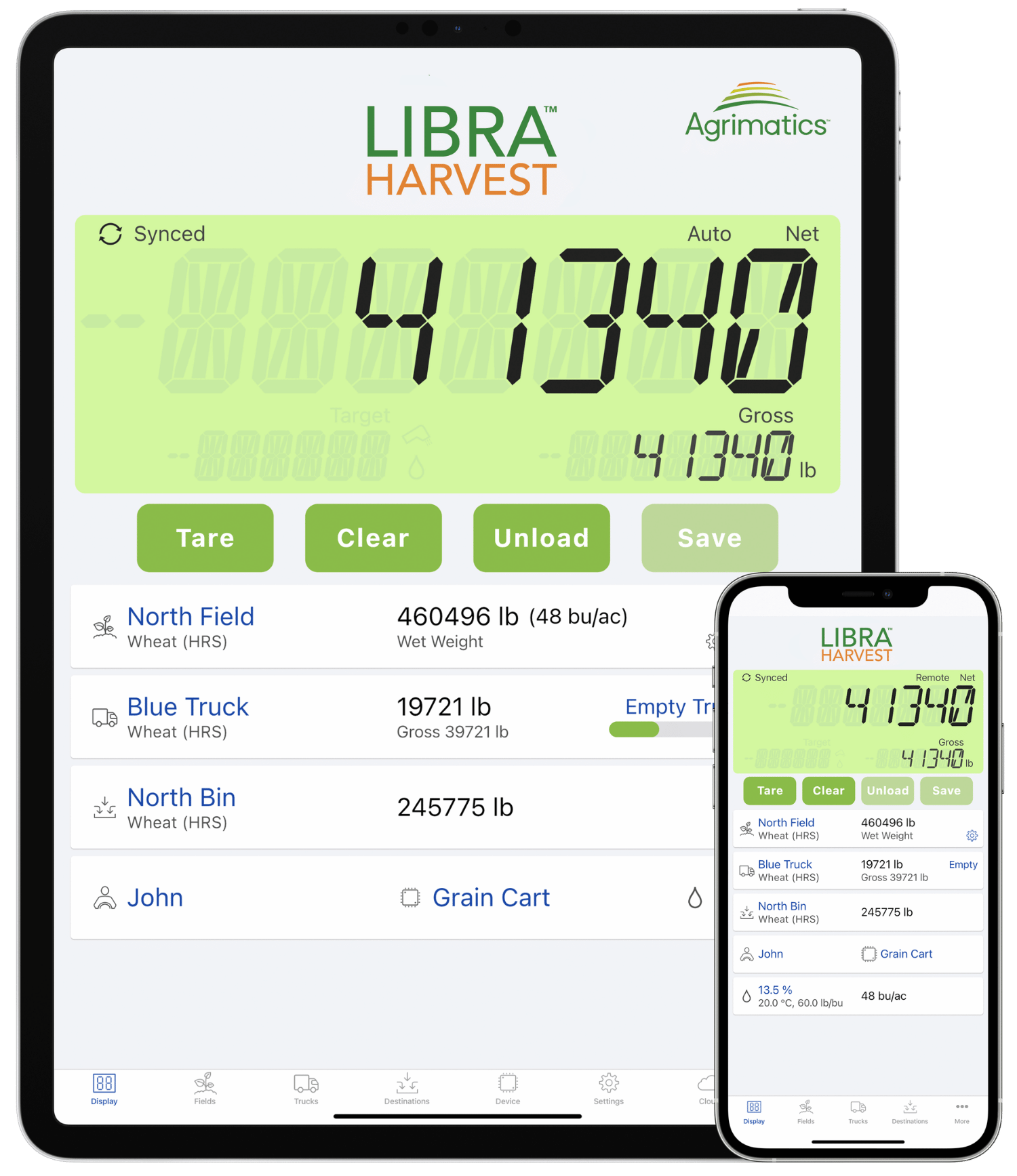
Libra Harvest App
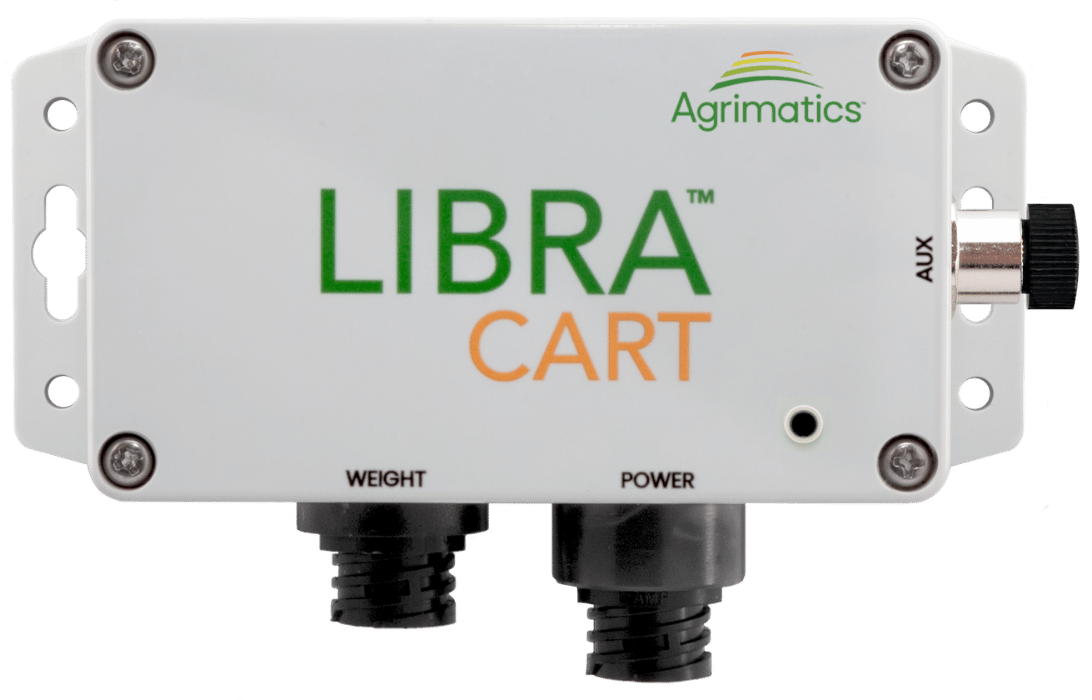
Libra Cart Hardware
New Libra Cart Now Available!
Model M0018
- Built-in serial communication – no Serial Link required for Scoreboards or John Deere Grain Harvest Weight Sharing (appropriate output cables required)
- Longer battery life
- Extended Bluetooth® range
- LED status indicator on the lid
Already have a Libra Cart and want to upgrade? Call and ask about our trade-in program!
Testimonials
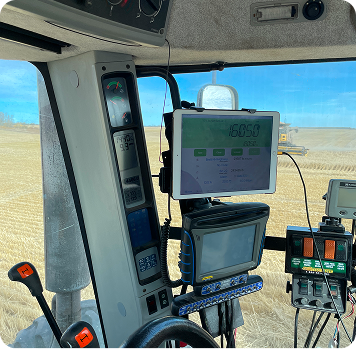
“This is an incredibly simple technology that makes the grain cart scale into something useful.”
- Rob Stone,
Davidson, SK
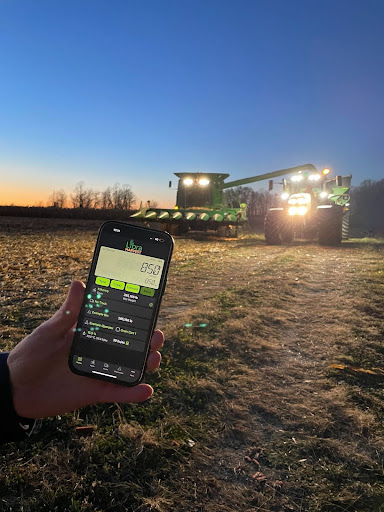
“Libra cart was within 1% of actual bushels harvested. Pretty damn impressed.”
- Jeff Miller,
Mt. Vernon, SD
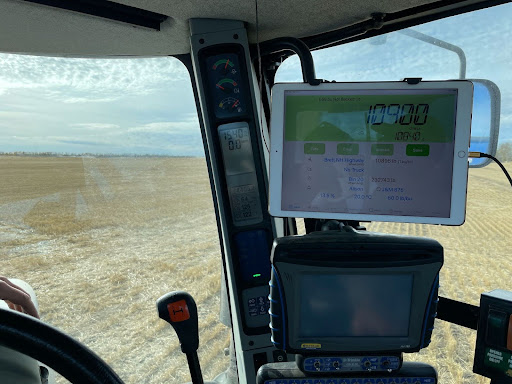
“Thanks to Agrimatics, every truck leaves the field legally loaded.”
- Landon Friesen,
Crystal City, MB
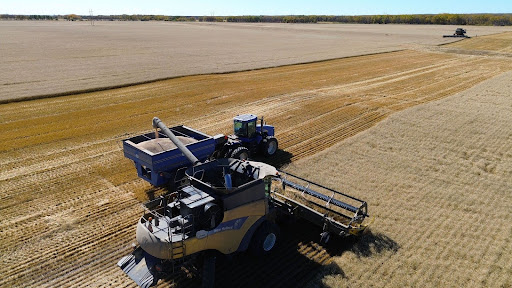
“Again I can't say enough about how libra cart has eased the way we get and keep yield records. Great product!”
- Jonathan Ayer,
Calhoun, KY
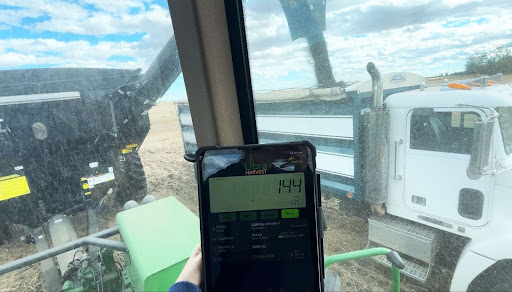
“Love my Libra Cart. I wouldn't want to be without it.”
- Tom Roden,
Casselton, ND
Top-Rated by Farmers. “It Just Works.”
Libra Cart is one of the highest-rated agtech products on the market and is the leading grain cart scale solution, trusted for its reliability, user-friendliness, and practical impact during harvest.
Plug and Play-
Ready When You Are
Libra Cart hardware installs in minutes. No wiring or cables across the hitch, so it’s easy to switch tractors when needed. It’s compatible with any grain cart that uses industry-standard load cells, so you’re ready to harvest without delays or the need to replace what you already have.
Use your existing phone or tablet, clearing up clutter in the cab and improving visibility. No additional monitors required.
The Libra Harvest app is compatible with iOS 13+ and Android version 9+
Add your fields and crops manually, or import your fields and boundaries in one click with supported integrations*.
*Integrations are available with a Cloud Pro subscription.
Get started quickly with the Libra Harvest app, designed with simplicity in mind. Whether the grain cart operator is new to technology or tech-savvy, it’s easy for anyone to use.
Plug and Play–
Ready When You Are
Watch this install and demo by aTrippyFarmer on YouTube.
Hands-Free Harvest Records
No matter how hectic the season gets, Libra Cart automatically captures accurate harvest data that’s ready when you need it. By eliminating manual entry and reducing human error, it saves you time and effort—helping you manage your farm more efficiently and make smarter, data-driven decisions.
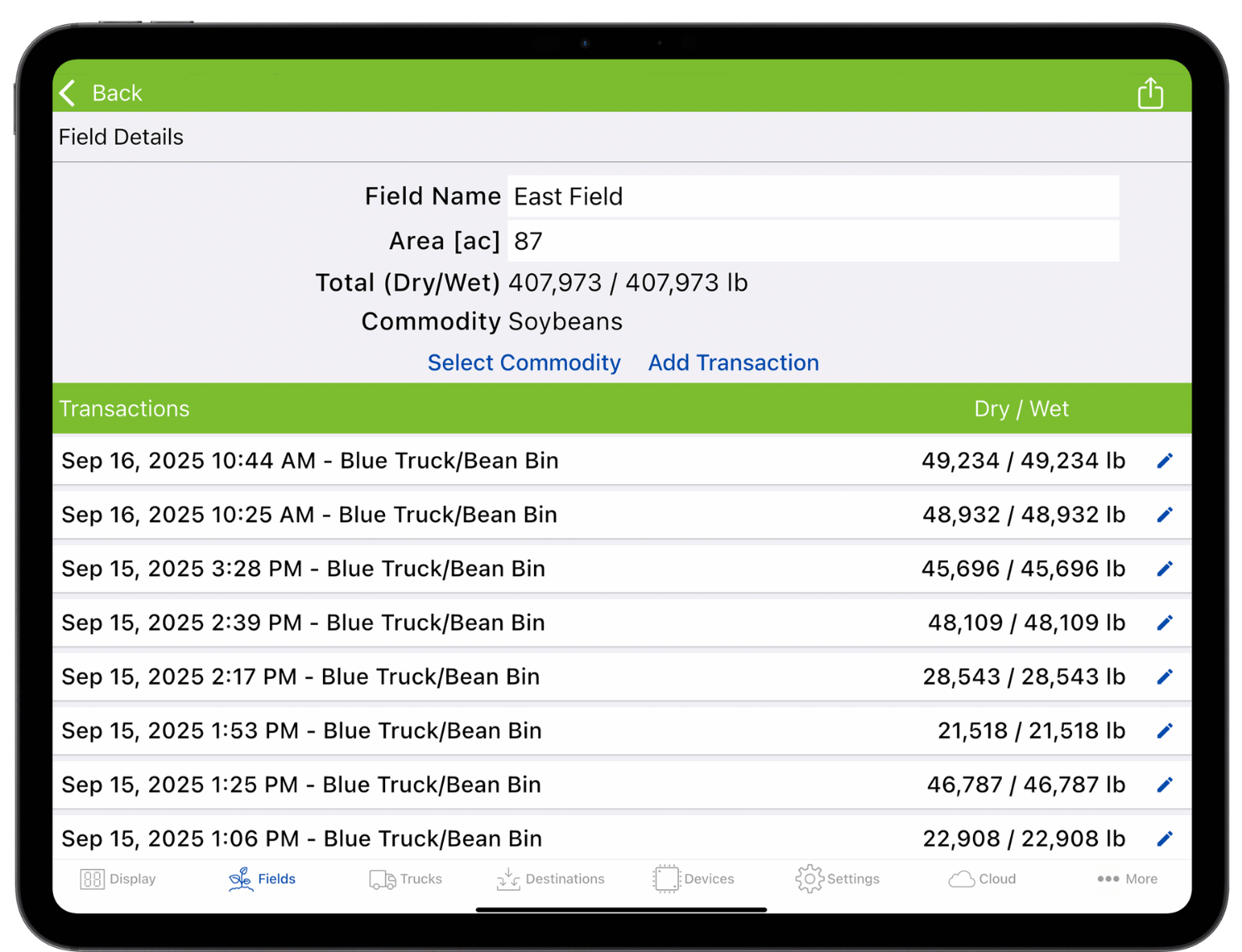
Automatically record the weight, date, time, and GPS location (latitude/longitude)* of every grain cart unload, along with the assigned field, truck, and destination—no manual entry or note-taking required—giving you confidence that your records are complete and accurate.
When field boundaries are imported through supported integrations, each load is automatically assigned to the correct field.**
*If mobile device supports GPS capability.
**Integrations are available with a Cloud Pro subscription.
Rely on Libra Cart, which works entirely offline via Bluetooth®, to capture harvest data automatically even in areas without cellular service or internet access.
Sync your grain cart scale data to the cloud whenever an internet connection is available to back up your harvest records. Access them online anytime, anywhere, and recover your data if your mobile device is ever lost or damaged.
Hands-Free Harvest Records
Harvest Together
Everyone plays an important role in harvest. Libra Cart keeps your team connected, whether they are in the grain cart, truck, bin site, or office. With seamless syncing across any device, Android or Apple, you can harvest together.
View live grain cart weights on any mobile device within 500 ft. using the app’s Remote Display feature. Letting you use Libra cart to calibrate the combine's yield monitor, or just check in, without any extra radio chatter.
Connect Libra Cart to an external scoreboard using the Serial Link module to display live grain cart weights at a glance, improving convenience and coordination during loading and unloading.
Sync harvest data across multiple phones or tablets so everyone on the team stays up to date: viewing field totals, current truck weights, unload transactions, and edit from their own device*. Whether you're using Android or iOS, all connected devices display the same real-time information.
*Data syncing is available with a Cloud Pro subscription.
Live Weight Viewing allows you to check grain cart weights from anywhere in real time on both our cloud website and Libra Harvest app, allowing you to know when the carts are being emptied or coming to fill up.
Remote Control allows for remote control of the primary device connected to the grain cart. It lets authorized users select the Field, Truck, Destination, and more from the Live Weights screen, keeping full control, no matter who is in the driver seat.
Live Weight Viewing and Remote Control features are unlocked on accounts with at least 3 active Pro subscriptions.
John Deere’s Grain Harvest Weight Sharing feature allows operators to view the current weights of grain carts directly from a G4 or G5 John Deere Display and the Operations Center Mobile app. This feature is compatible with our system when used with our Serial Link hardware.
Harvest Together
Make the Most of Your Harvest Data
Libra Cart gives you insight into your entire farm. With tools to track grain traceability, manage grain inventory, and compare field performance, you’ll stay organized, eliminate guesswork, and make confident, data-driven decisions.
Track how full each truck is from every grain cart before it leaves the field. Avoid overloading to stay road compliant and eliminate inefficient hauls.
Seamlessly connect Libra Cart with leading farm management software to save time, reduce manual entry, and keep your data in one place.
Transfer grain as it’s moved or sold to keep your inventory accurate, and monitor both incoming and outgoing loads so you’re never left guessing—or at risk of overselling. Run field trials by comparing yields to see which products and seed deliver the best return on your land.
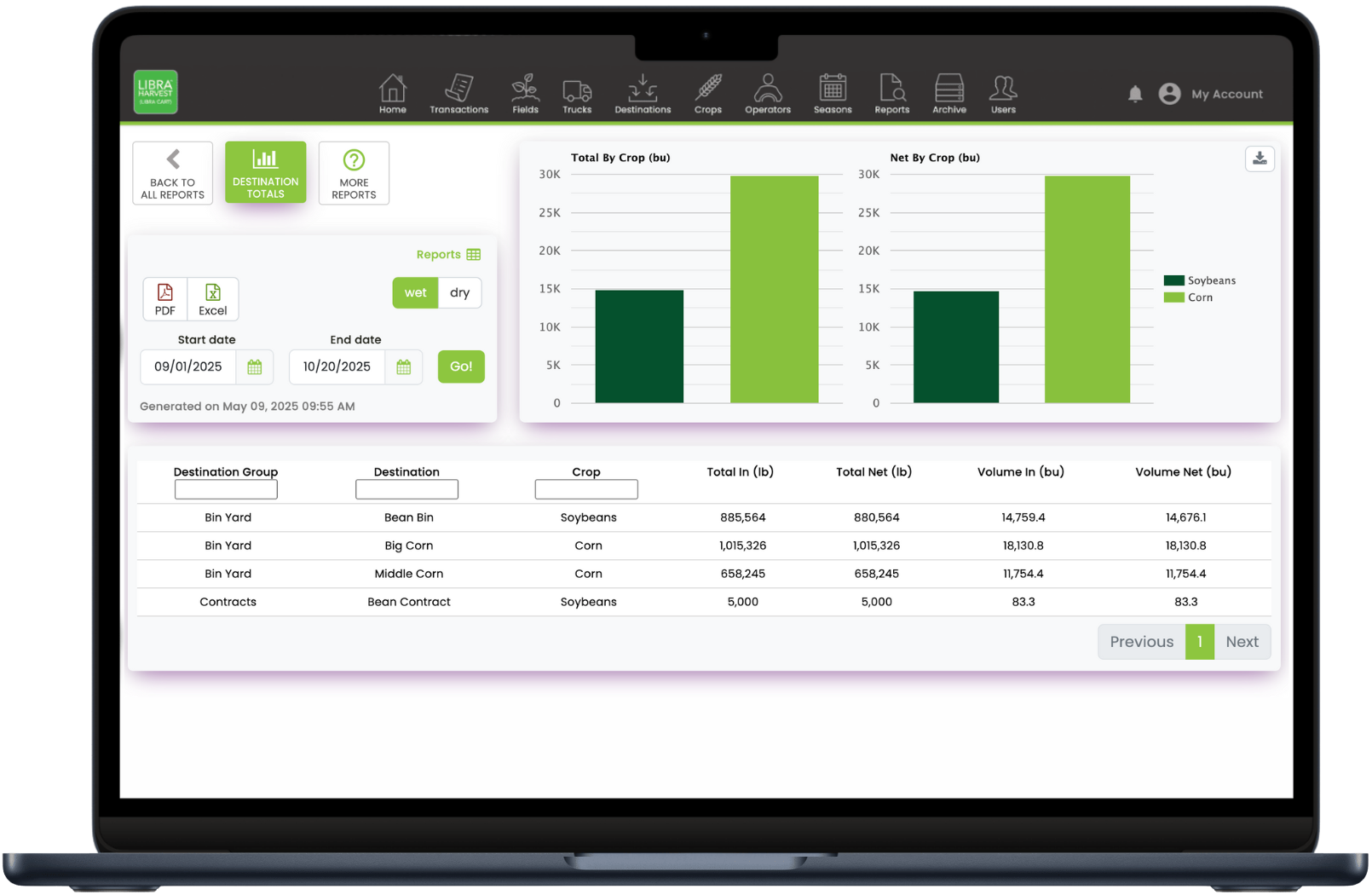
Easily export and email harvest records directly from the Libra Harvest app, or generate detailed, customizable reports online. Compare year-over-year performance, simplify crop insurance filing, and quickly access the data you need for audits, planning, and reporting.
Make the Most of Your Harvest Data
More Features
Automatic Field Selection
Automatically set the active field harvested using GPS and supported boundary integrations, ensuring that the correct field is selected before each unload.
Integrations are available with a Cloud Pro subscription.
Moisture Sensor Support
Update grain moisture manually or automatically with a compatible moisture sensor available through Agrimatics distributors.
Truck Tracking
Monitor truck fill levels using the Tare Weight and Gross Vehicle Weight for the truck, keeping trucks full, moving, and legal.
Customizable Display
Unit Preferences - Choose between viewing in wet/dry weights, metric or imperial units – and mix and match if desired (kg and bu/acre, for example).
Light and Dark Mode - Switch between light and dark themes to suit changing lighting conditions.
Calibration Calculator
Calibrate quickly by using our built-in calibration calculator.
Simply enter the suggested scale settings, note what our display reads once connected,
then compare to a certified elevator scale or trusted weight reference.
Load Editing
Add field notes and edit load details directly in the app to fix errors such as switching the field or bin.
Or create manual transactions for any grain that didn’t go through the grain cart.
Running Yield Calculator
Monitor yields and harvest progress on the fly with our built-in calculator.
Season Management
Close out harvest seasons to reset totals and keep historical harvest data organized.
Get the App Now and Explore for Free



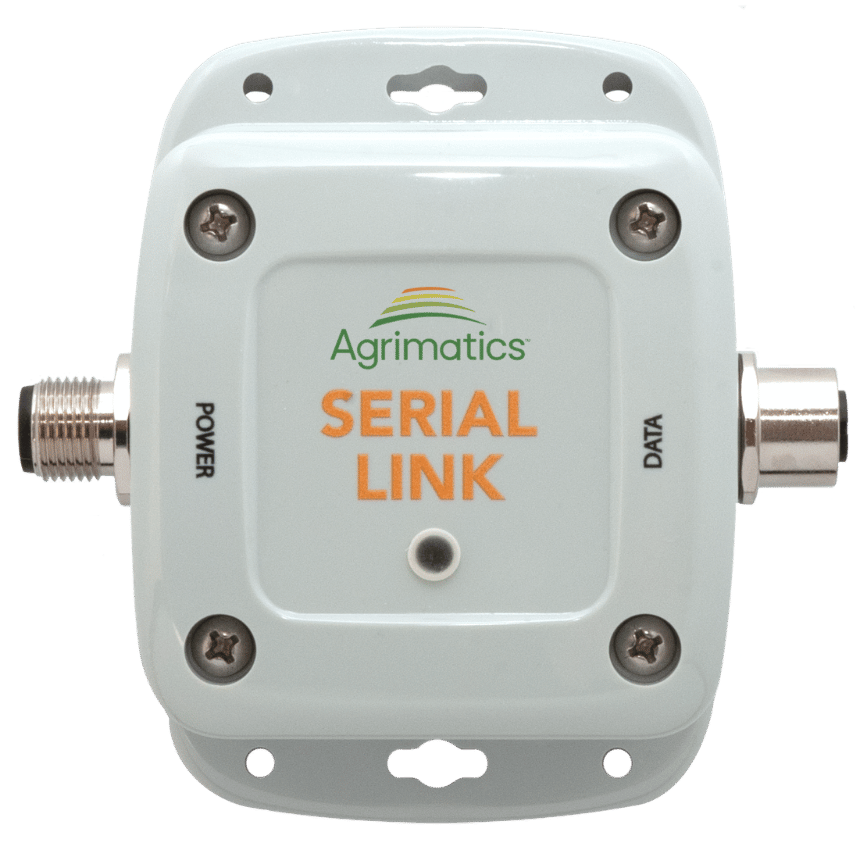
Serial Link is a data interface module compatible with all Libra Cart hardware models. It enables two key features that improve visibility, communication, coordination, and overall efficiency in the field: live grain cart weight display on external LED scoreboards, and John Deere Grain Harvest Weight Sharing, which allows real-time grain cart weights to be viewed on John Deere displays and in the Operations Center.
For Scoreboards
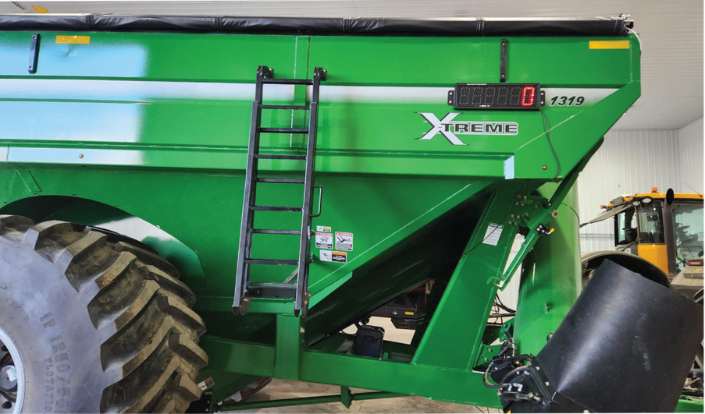
Connect to standard external LED scoreboards to display live grain cart weights clearly from a distance. Ideal for improved visibility during loading and unloading.
Requirements:
- Libra Cart grain cart scale hardware (all models supported; M0018 model Libra Carts can take the place of Serial Link modules, P0060 output cable required)
- A compatible mobile device running the Libra Harvest app
- An external LED scoreboard (compatible with scoreboards with a J905 port/protocol)
- P0060 output and P0070 power cables
For Grain Harvest Weight Sharing
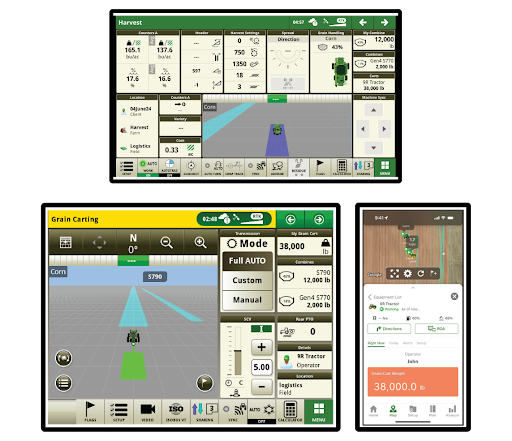
Use Serial Link to share real-time grain cart weights across your fleet via John Deere In-Field Data Sharing on Gen 4 or G5 displays and in the Operations Center Mobile app; reducing radio chatter and idle time, while improving harvest logistics.
Requirements:
- Libra Cart grain cart scale hardware (all models supported; M0018 model Libra Carts can take the place of Serial Link modules, P0081 output cable required)
- A compatible mobile device running the Libra Harvest app
- P0081 output and P0070 power cables
- For compatibility details and requirements related to John Deere displays and software, please contact John Deere directly.
Agrimatics Cloud Service
Additional features are available with a Pro subscription.
Pro subscription unlocks additional features for Libra Harvest and Plant
Protect Your Harvest Data
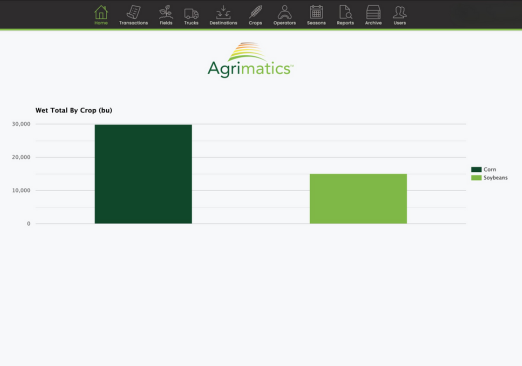
Ensure your valuable harvest data is never lost. Our cloud service automatically backs up your grain cart scale data whenever your mobile device is connected to the internet; protecting it in the event of loss or damage.
Easily access your data anytime through our desktop web app, and share it with others by granting web access; perfect for collaborating with partners, agronomists, or advisors.
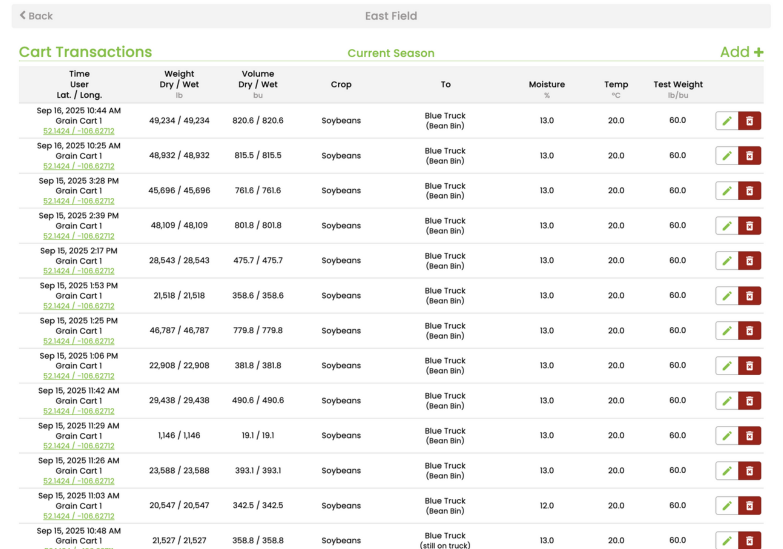
Edit and Manage Data from Your Computer
Easily add new fields, edit individual transactions, perform bulk updates (such as adjusting field moisture), and archive outdated field, truck, bin, and operator names, all from your desktop, to keep your records clean and organized.
Web editing requires a Cloud Pro subscription
Sync Harvest Data Across Mobile Devices
Keep your team connected and your harvest data consistent—no matter where they are or which device they’re using, iOS or Android. All information automatically syncs across Pro-enabled mobile devices, ensuring everyone stays up to date and in sync.
Whether you're running multiple grain carts or coordinating with drivers and managers, syncing keeps your harvest running smoothly. Less radio chatter. Fewer delays. A more efficient harvest—together.
With multi-device syncing, you can:
- See the latest field, truck, and destination totals, along with all weight transactions
- Create and edit information from any synced mobile device
- Assign loads from truck to destination remotely
- Combine harvest data from multiple grain carts with ease
Each device enabled for cloud syncing requires a Cloud Pro subscription
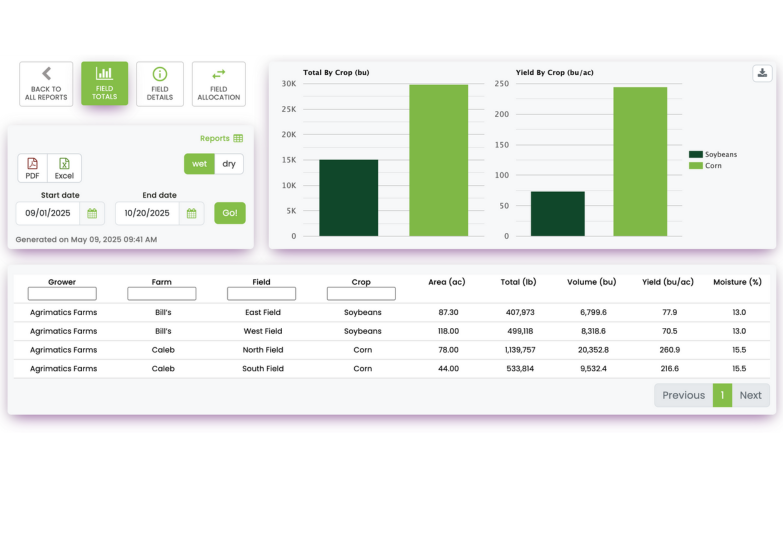
Generate and Download Harvest Reports
Create and download detailed reports during and after harvest to track progress, share results, and support informed decision-making. Available in .xlsx and .pdf formats, with access based on your subscription tier.
Reports provide a clear summary of harvest activity—including farm and field performance, load tracking, delivery details, and calibration records—giving you a complete and organized view of your harvest.
Integrate with Other Farm Software
Seamlessly connect Libra Cart with leading farm management software to save time, reduce manual entry, and keep your data in one place.
Available Integrations:
- John Deere Operations Center
- CNH (Field Ops)
- Pipe Ag
- Harvest Profit
- Trimble Ag Software
- OPI Blue
- Cropwise Operations
- Adaptive Agriculture
Integration connectivity requires a Cloud Pro subscription
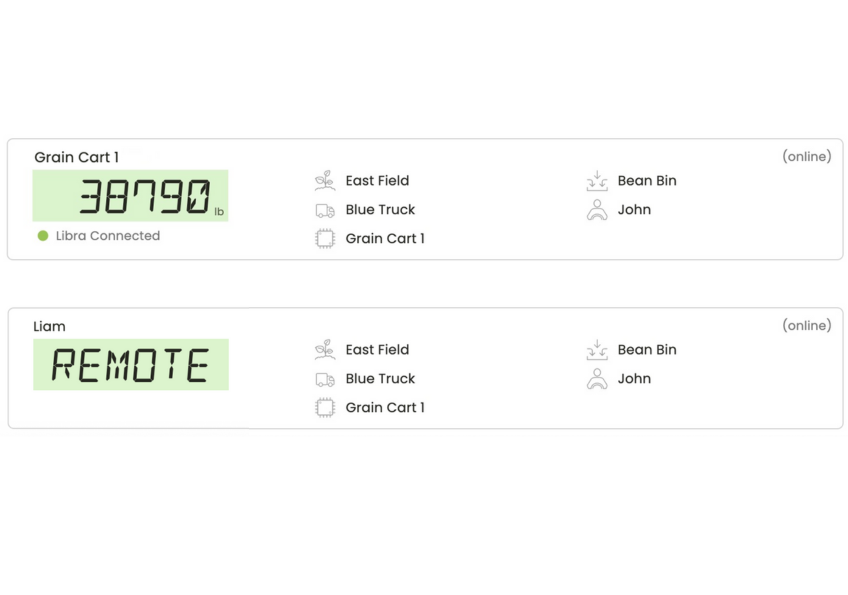
Live Weight Viewing and Remote Control
Live Weights allow you to view grain cart weights from anywhere in real time on both our cloud website and the Libra Harvest app. Remote Control allows for remote control of the primary device connected to the grain cart and grants authorized users the ability to select the Field, Truck, Destination, and more from the Live Weights screen.
Remote devices connected to a Libra Cart unit that exit Bluetooth range will begin using an internet connection to view weights on the Display tab. This allows Remote devices to be used no matter the distance from the grain cart.
Live Weight and Remote Control features are automatically unlocked for Agrimatics Cloud accounts with at least three active Plant and Harvest Pro licenses.
BasicFree |
Pro$99 USD/year per device |
|
|---|---|---|
| Data Backup | ||
| Web Data Management | ||
| Multi-Device Data Syncing | ||
| Harvest Reports | ||
| Harvest Summary Report | ||
| 8+ Additional Advanced Reports | ||
| Farm Software Integrations |
|
|
| Live Weight Viewing (3+ Licenses Required) |
||
| Remote Control (3+ Licenses Required) |
Frequently Asked Questions
Libra Cart hardware replaces any existing scale head and uses Bluetooth® to send weights to a mobile device running the Libra Harvest app.
You cannot use the system in conjunction with any existing scale head. If you have an existing scale head, you must disconnect it before connecting Libra Cart. Connecting both systems at the same time can cause serious equipment damage and/or serious bodily harm, and create a safety hazard.
Scale systems power the load cells directly. Having two scale systems running at the same time will not work as they will both be attempting to power the load cells. If you have an existing scale system, you must disconnect it before connecting Libra Cart. If anything in your tractor or on your cart displays the scale weight, you have an existing scale system.
Attempting to connect or use multiple scale systems at the same time can cause serious equipment damage and/or serious bodily harm, and create a safety hazard.
USA: Central City Scale (https://ccscales.com/)
Canada: Triple Star Manufacturing (https://triplestarmfg.ca/)
Australia: Hawk Engineering (http://hawkengineering.com.au/)
Alkaline batteries can be used temporarily, although can cause corrosion damage with extended use. It is recommended to not use an alkaline for more than a few days before replacing with a lithium.
We recommend purchasing replacement batteries directly from us or through an authorized dealer.
Manual unloading is available for smaller loads or if preferred to automatic detection.
An internet connection is required to sync all harvest data from the mobile device in the grain cart to the cloud and other mobile devices in real time. Cellular plans or a Wi-Fi hotspot can work great while the device is in field.
Get Libra Cart for your grain cart today!
Not Sure What You Need? We Can Help.
Ensure you have the right parts to get Agrimatics working on your equipment